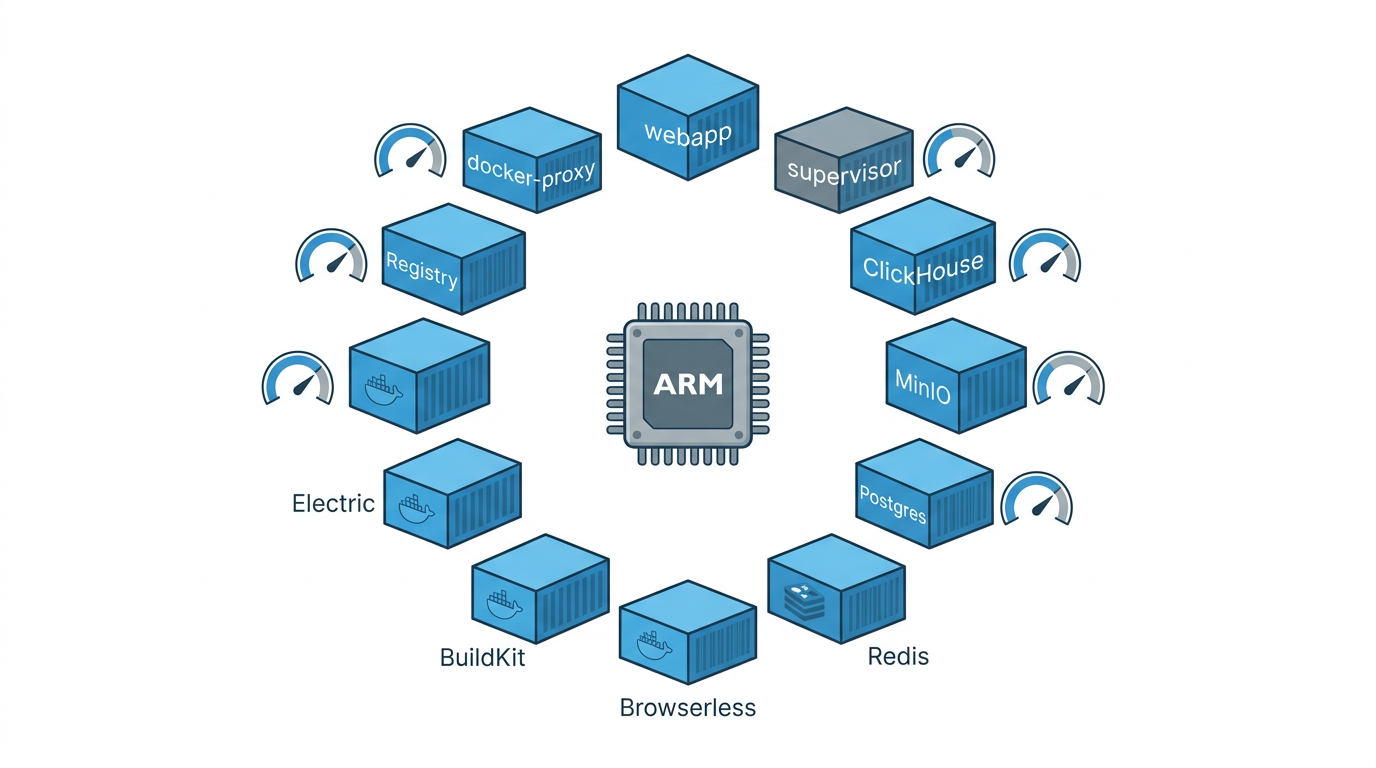
The last post in this series covered the blog’s automation pipeline. Trigger.dev runs a lot of that pipeline. It also runs a CAPTCHA-solving appointment checker, a solar panel data sync, a ServiceNow daemon, and about a dozen other tasks. All of it on a single ARM64 board that also hosts n8n, a Samba share, Ollama, AdGuard Home, and a GitHub Actions runner.
This post is about how that works, what it costs in RAM, and where it breaks.
The hardware
6-core ARMv8, 7.4 GB RAM, 916 GB NVMe. Ubuntu 22.04.5 LTS, Docker 29.0.2. The board draws about 10W at idle and fits in the corner of a shelf. I’ve been running it as a homelab server for a while now. It’s described in more detail in my Claude Code setup post.
The relevant fact for this post: it’s ARM64 (aarch64), and Trigger.dev’s documentation doesn’t say much about ARM support. The images are multi-arch. It works. But the tuning is different from what you’d do on a 32 GB x86 box.
What Trigger.dev v4 actually runs
Eleven containers. Here’s what each one costs in RAM at steady state:
| Container | Image | RAM |
|---|---|---|
| webapp | triggerdotdev/trigger.dev:v4-beta | 780 MB |
| supervisor | triggerdotdev/supervisor:v4-beta | 109 MB |
| clickhouse | bitnamilegacy/clickhouse | 1.27 GB |
| minio | bitnamilegacy/minio | 234 MB |
| postgres | postgres:14 | 121 MB |
| browserless | ghcr.io/browserless/chromium | 287 MB |
| buildx buildkit | moby/buildkit | 121 MB |
| electric | electricsql/electric:1.2.4 | 79 MB |
| supervisor | triggerdotdev/supervisor:v4-beta | 109 MB |
| registry | registry:2 | 12 MB |
| docker-proxy | tecnativa/docker-socket-proxy | 6 MB |
| redis | redis:7 | 14 MB |
Total: roughly 3 GB. On a machine that also runs everything else, that’s most of the usable RAM. It’s tight.
The two things that matter most: ClickHouse at 1.27 GB and the webapp at 780 MB. Everything else is manageable.
ClickHouse on a memory-constrained machine
ClickHouse is the run history and metrics store. By default it configures itself for a server with plenty of RAM. On a 7.4 GB machine running a dozen services, “plenty” is relative.
These are the settings I ended up with:
| |
The most impactful settings are max_server_memory_usage_to_ram_ratio (0.15 caps ClickHouse at about 1.1 GB) and disabling parallel parsing and formatting. With parallel processing on, ClickHouse will happily spawn threads until memory pressure triggers the OOM killer.
The Bitnami image (bitnamilegacy/clickhouse) works on ARM64. The official ClickHouse image also works, but Bitnami’s configuration structure is easier to override with Docker volumes.
Node.js heap for the webapp
The webapp container is a Node.js application. Without explicit configuration, Node.js has a default heap limit around 512 MB, which is low enough that the webapp will occasionally crash under load. This env var is the fix:
| |
3 GB might look generous for a webapp that handles a few dozen tasks, but I haven’t had an OOM crash since setting it. Before that, I had crashes roughly once a week during deploy.
The Docker socket problem
Trigger.dev’s supervisor needs to talk to Docker to spawn task runners. The naive approach is mounting the Docker socket directly:
| |
That gives the container full Docker access, which means it can do anything on the host. For a process that executes arbitrary user code, that’s a problem.
The better approach is a socket proxy. tecnativa/docker-socket-proxy sits between the supervisor and the actual socket, and you configure which API endpoints it can reach:
| |
The supervisor connects to the proxy instead of the socket directly. It can still do what it needs to do, but the blast radius is smaller.
Bootstrap mode and the worker token
One Trigger.dev v4 setup detail that isn’t obvious from the docs: the webapp needs a worker token to accept connections from the supervisor. In a cloud deployment you’d generate this manually. For a self-hosted setup, bootstrap mode handles it automatically.
The pattern is a shared Docker volume between the webapp and supervisor. The webapp writes the token to a file on startup; the supervisor reads it. No manual token generation, no chicken-and-egg problem on first deploy.
| |
The local registry
Task code gets built into Docker images. Those images need to go somewhere. The options are a remote registry (Docker Hub, GHCR) or a local one. I run a local registry on port 5000.
| |
The webapp and supervisor both point at localhost:5000. This avoids push/pull latency and means deploys don’t need external network access. It also avoids cross-architecture registry issues since the build and runtime are the same machine.
Deploying tasks
The deploy pipeline is a GitHub Actions workflow. The self-hosted runner is on the same board as everything else, which means it builds and deploys on ARM64 natively.
| |
The trigger.config.ts uses the aptGet extension for system dependencies and syncEnvVars to pull secrets from the environment at deploy time. I covered how the devops commands interact with this in the devops commands post. Both /deploy and /trigger-status wrap this workflow.
What actually runs on it
16 tasks at the moment. A few are practical automation:
foxess-pvoutput: syncs solar panel data to PVOutput every 5 minutesservicenow-daemon: polls a ServiceNow instance for new incidentscheck-appointments: monitors a government booking site for available slots, including CAPTCHA solving with Browserless- Librus school messaging tasks (
send-excuse,send-teacher-message)
The rest are blog automation. generate-cover calls the Gemini API to make cover images. news-digest aggregates AI news into a weekly summary. notify-publish posts to a Telegram channel when a new post goes out. The how this blog runs itself post has more detail on those.
What I’d do differently
Running 11 containers on 7.4 GB alongside everything else is doable but leaves little room for anything new. ClickHouse is the main constraint. If I were starting over, I’d look at whether Trigger.dev supports an alternative metrics backend, or whether ClickHouse can be moved to a machine with more RAM.
The ARM64 side has been fine. The multi-arch images work, and running the self-hosted runner on the same board means I never have to think about cross-compilation. That part worked out better than I expected.
One thing I haven’t solved: log retention. ClickHouse keeps run history indefinitely by default. I should set up a retention policy before the NVMe fills up. That’s a problem for future me.