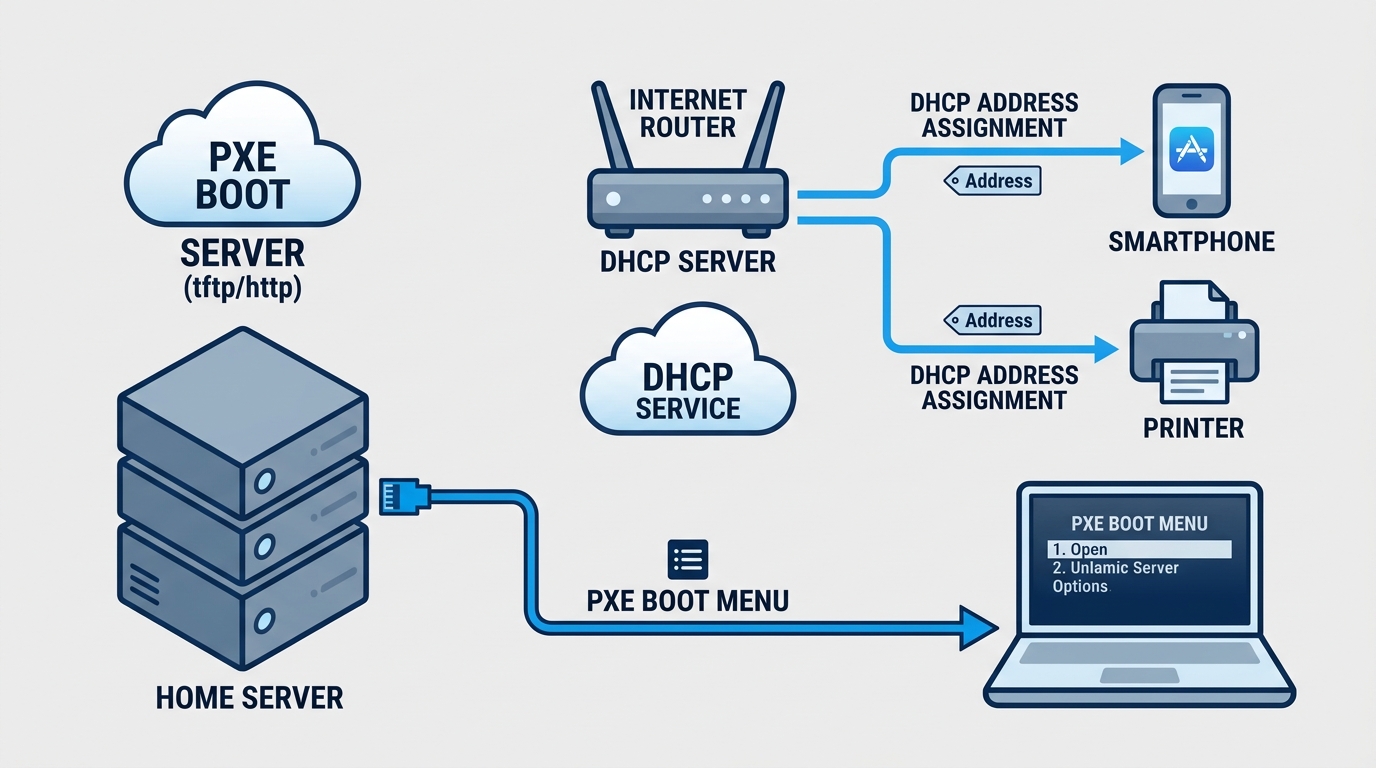
Every time I want to try a new Linux distro on spare hardware, I’m stuck choosing between writing it to a USB stick again or finally setting up something that boots over the network. I’ve rewritten that USB stick more times than I’d like to admit, usually right after formatting it for something else. So this time I set up PXE boot instead, specifically to try Omarchy, the Arch based distro built around the Hyprland compositor, on an old test box without touching a flash drive at all.
The part that took actual thought wasn’t PXE itself. It was doing it on a home network where I don’t want a second DHCP server fighting the router for the job of handing out addresses.
The problem with most PXE tutorials
Most PXE walkthroughs assume you control the only DHCP server on the network, because in a lab or a company VLAN, you usually do. At home, my router already hands out addresses to the TV, the printer, and whatever my phone is on about this week. Running a second full DHCP server next to it is how you get two devices arguing over who owns 192.168.1.50, and that argument always resolves in favor of whichever one answers first, which is not something I want to leave to chance.
The fix is a mode most DHCP servers support called proxy DHCP. The server listens on the LAN, waits for a client that identifies itself as a PXE client during the DHCP handshake, and replies only with boot information: here’s your TFTP server, here’s your boot file. It never hands out an IP address and never touches the lease table. The router keeps doing its normal job completely unaware anything else is running. dnsmasq calls this dhcp-range=<network>,proxy and it’s the one line that makes the whole setup safe to run on a LAN you don’t fully control.
The four moving parts
A working netboot setup for an archiso based installer (Omarchy, Arch, Manjaro, anything built the same way) needs:
- dnsmasq in proxy DHCP mode, also serving TFTP
- nginx serving the extracted ISO contents over HTTP
- a GRUB netboot image that understands UEFI
- the ISO itself, mounted once and copied to two different places
That last point surprised me a little. The installer doesn’t live in one spot, it lives in two, because TFTP and HTTP are good at different things.
Why the ISO gets copied twice
TFTP is ancient, simple, and bad at moving large files reliably. It’s fine for a kernel and an initramfs, maybe twenty or thirty megabytes combined. It is not fine for a multi-gigabyte squashfs root filesystem. archiso based installers solve this by booting a minimal kernel and initrd over TFTP, then switching to HTTP for everything else, using a kernel parameter: archiso_http_srv=http://<server>/omarchy/. Once that minimal environment is up, it fetches the rest of the install image straight from nginx.
So the setup script mounts the ISO once and does two things with it: rsyncs the entire tree to the nginx web root, and copies just vmlinuz-linux and initramfs-linux.img (plus Intel or AMD microcode, if present) into the TFTP root. I also had the script install squashfs-tools, thinking I’d need to unpack or inspect the compressed image by hand at some point. I didn’t. It’s still installed. I’m not removing it now out of what I can only call superstition.
Writing a GRUB config that boots over a network
grub-mknetdir --net-directory=/srv/tftp generates the UEFI netboot binary and the directory layout GRUB expects when it’s loading itself over TFTP instead of from a local disk. After that you write a normal looking grub.cfg, except the linux and initrd lines point at TFTP paths and the kernel command line carries the HTTP URL:
| |
ip=dhcp gets the client an address from the real DHCP server, the one still being handled entirely by the router. cms_verify=n verify=n turns off the installer image’s signature check, because it’s arriving over plain HTTP from a box I trust implicitly and nobody else does. Disabling signature verification on an OS installer is exactly the kind of shortcut you take at 11pm while promising yourself you’ll tighten it up later. I have not tightened it up later. It’s a home LAN serving a public, unmodified ISO I downloaded myself, so I’ve made my peace with it, but I wouldn’t carry this habit anywhere with a less forgiving threat model.
The dnsmasq config, without stepping on anything else
| |
port=0 disables dnsmasq’s own DNS resolver. I already run a separate DNS resolver for the whole house, and the one thing worse than two DHCP servers arguing is two DNS servers both listening on port 53 and neither one winning cleanly. This way dnsmasq does exactly two jobs, proxy DHCP and TFTP, and nothing else.
Telling BIOS from UEFI without asking the user
The dhcp-match lines read the client’s architecture code, sent as DHCP option 93 during the PXE handshake. In practice, modern 64 bit UEFI firmware shows up as architecture 7, sometimes 9 depending on the exact boot path the firmware takes, and genuinely ancient legacy BIOS shows up as 0. The config tags each architecture and routes it to a different boot file, GRUB’s EFI binary for UEFI clients, pxelinux.0 for BIOS. I wired up the BIOS fallback and I’m fairly sure it has never once fired, because every machine in the house old enough to still boot in legacy mode retired before I got around to testing it. It’s dead code I’m keeping anyway, mostly for the day some machine proves me wrong.
What actually went wrong the first time
The boot menu came up fine. Grub loaded the kernel and initramfs over TFTP without complaint. Then it sat at “Loading initial ramdisk” for close to a minute before nginx started returning 403s in the access log. I’d extracted the ISO as root with rsync’s default permissions, and nginx’s worker process couldn’t read half the tree. The fix is one line, chmod -R 755 on both the HTTP and TFTP directories after extraction, which is exactly the kind of boring permissions problem that eats twenty minutes of your evening and teaches you nothing you’ll remember next time.
Where this actually pays off
Any spare box on the LAN can now boot the Omarchy installer without me touching a USB stick, and trying a newer ISO is a matter of pointing the script at a new file and rerunning it, not re-flashing anything. That’s the whole point, and it’s a small one, but it’s the kind of small convenience that homelab projects tend to be made of.
The tradeoff worth remembering: dnsmasq and nginx are now set up to run persistently on this box, which means one more pair of services to keep an eye on, the same way I’ve started actually rereading my backup script instead of trusting it blindly. A PXE proxy server sitting quietly on a home LAN is low risk, but low risk isn’t the same as no risk, and it’s one more thing worth remembering exists next time I do a pass over what’s actually running on the home server. It joins a growing list of services I’ve wired into the network stack alongside the Omada controller I already scripted against, which at this point handles more of the house than I consciously track.