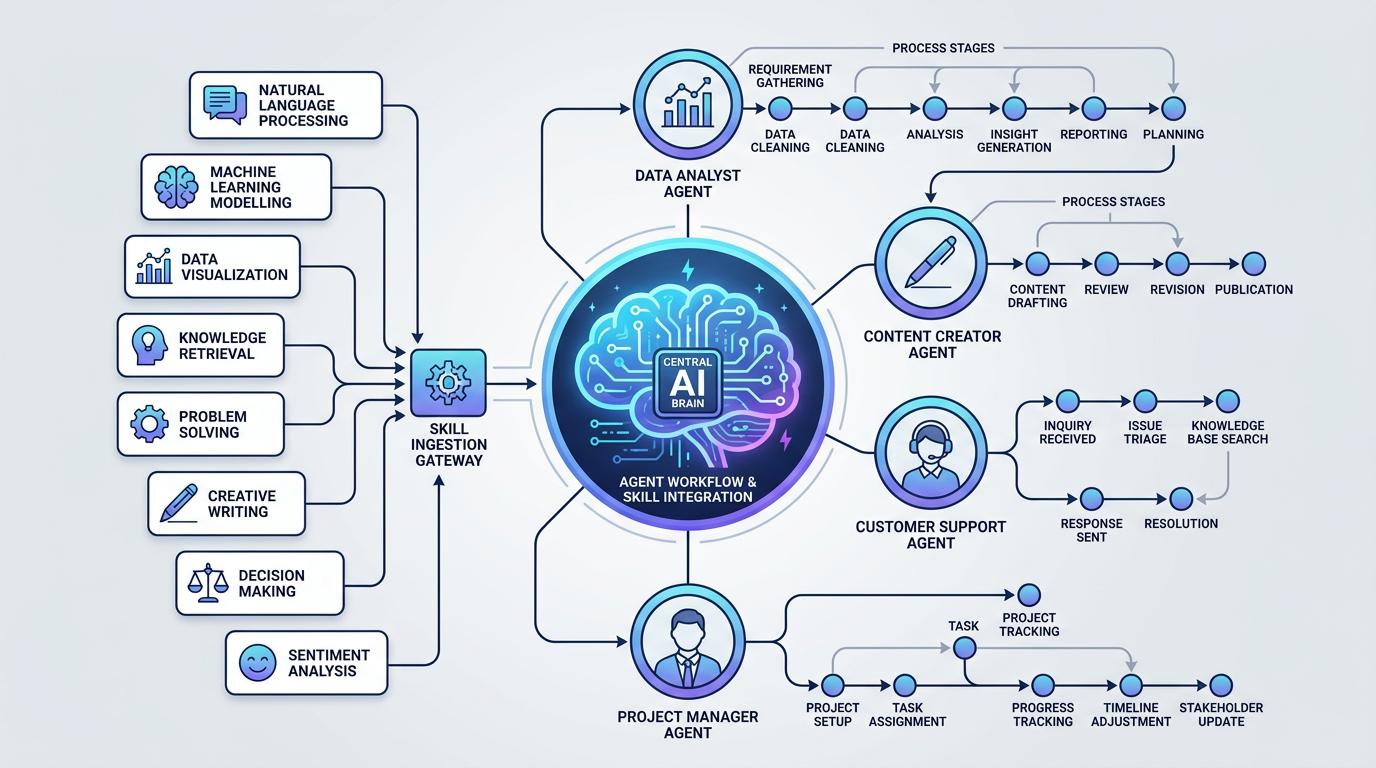
The hooks post covered the safety layer, the parts that run silently and block things. This one is about the other end: what happens when you want Claude to do more, not less. Specifically, how skills and agents let you build reusable workflows instead of repeating yourself every session.
Skills vs commands: the distinction that matters
Before getting into the mechanics, it helps to be clear on what skills are not. I’ve written before about custom commands: /deploy, /morning, /humanize. Commands are things you type. You invoke them intentionally.
Skills are different. They live in .claude/skills/ and Claude loads them automatically based on trigger conditions. You don’t summon them. They activate when the situation matches.
The project has six skills:
| |
And at the user level (~/.claude/skills/) there are a few more, including one called claudeception that teaches Claude how to build better skills. That one is self-referential in a way I appreciate.
What a skill file looks like
A skill is a markdown file with a YAML frontmatter block and then a body of instructions. The frontmatter tells Claude when to load it and what tools it’s allowed to use. The body is the actual workflow.
Here is the text-humanizer skill:
| |
The description field is what Claude reads to decide whether the skill is relevant. If you mention a term like “delve” or ask to “make this sound natural,” the skill loads. If you’re writing code and never mention text quality, it doesn’t.
The devops-diagnosis skill is more elaborate. Its description lists specific trigger conditions: error logs, stack traces, OutOfMemoryError, connection timeouts, “the app is down,” Java exceptions, Python tracebacks. When any of those appear, the skill loads a full multi-agent pipeline:
- Check Confluence for existing solutions
- Launch web research, docs lookup, and code search in parallel
- Hand all findings to
enterprise-app-specialistfor root cause analysis - Ask the user where to document the findings
- Generate a ticket summary
That’s the skill’s body, and it runs each time those conditions appear, without me having to remember to invoke it. The difference between “I paste an error” and “I paste an error and Claude automatically starts a structured investigation” is just this one file.
The strategy is also baked in. devops-diagnosis uses cot (chain-of-thought), which means Claude walks through each diagnostic step sequentially and shows its reasoning. pr-reviewer uses self-refine, doing an initial review then a second pass to catch what it missed. text-humanizer uses reflexion: draft, critique, fix.
Agents: separate context windows with their own rules
Agents are a different thing. A skill loads instructions into your current conversation. An agent is a subprocess with its own context window, its own tool permissions, and its own model.
The project currently has 19 of them:
| |
The model choice matters and it’s deliberate. Most agents use sonnet: fast, capable, not overkill for well-defined tasks. Two use opus: enterprise-app-specialist (deep reasoning over complex infrastructure problems) and team-lead (orchestrating multiple agents and synthesizing their results). Using opus for everything would be slower. Using sonnet for everything would mean worse results on hard diagnostic problems.
Each agent file has frontmatter too:
| |
The maxTurns cap prevents runaway context usage. The agent-level hook means safety checks run even inside the subprocess. The description, like a skill’s description, is what Claude reads to decide whether to use this agent.
Why the isolated context window matters
The main reason I delegate to agents is not capability, it’s cleanliness. Raw log files are big. Search results are noisy. If I ask Claude to analyze a 50,000-line log file in the main conversation, that context is gone. The conversation gets slow and the quality of subsequent responses suffers.
When I delegate to log-analyzer, it spins up in its own context window, loads the log, does the work, and returns a structured summary. The main conversation gets three paragraphs of findings, not fifty thousand lines of text.
Same with web-researcher. It runs Tavily searches, filters the noise, and returns what’s relevant. My main conversation doesn’t accumulate search debris.
The codebase-investigator agent does the same for source code searches. If I need to find all usages of a class across a large codebase, that’s a lot of grep output. The agent handles it, I get a summary.
Agent teams and orchestration
The team-lead agent is where things get interesting. It uses the Task tool to spawn other agents and coordinate them.
Here’s the incident response pattern from its file:
| |
Steps 1-4 run in parallel because they don’t depend on each other. Step 5 runs after because it needs the results from the first four. The team-lead synthesizes everything at the end, not just concatenating outputs but looking for correlations between what each agent found. A log showing connection timeouts at the same timestamp as a Jira ticket about a network change is a different signal than either one alone.
The full system audit pattern runs three agents in parallel (deploy health, secret audit, docs currency) and produces a unified report. I run that occasionally, and it’s the closest thing I have to a daily standup with a team that doesn’t need sleep.
Practical patterns
A few things I’ve found worth doing:
Keep skills focused. A skill with twenty trigger conditions gets loaded when it shouldn’t be, and the instructions compete with the current task. text-humanizer has one job. devops-diagnosis has one pipeline. When a skill tries to cover too much, it becomes noise.
Match model to task, not ego. It’s tempting to use opus everywhere because it’s better. But email-writer on sonnet is fine. The emails don’t require deep reasoning. enterprise-app-specialist on opus is worth it because production diagnosis on RHEL is genuinely hard and the model quality shows.
The agent for a messy task, the main conversation for decisions. I don’t ask Claude to analyze logs directly in chat. I don’t do web research in the main context. Anything that produces a lot of raw output goes to an agent. What comes back is always a summary.
Skills as institutional memory. The lapa-azure-admin skill captures everything specific to one client’s Azure setup: the tenant ID, the subscription structure, the naming conventions, which firewall rules are relevant. Without that skill, I’d be re-explaining the environment every session. With it, Claude already knows.
Related: My Claude Code setup | Custom commands | Hooks and the permission system