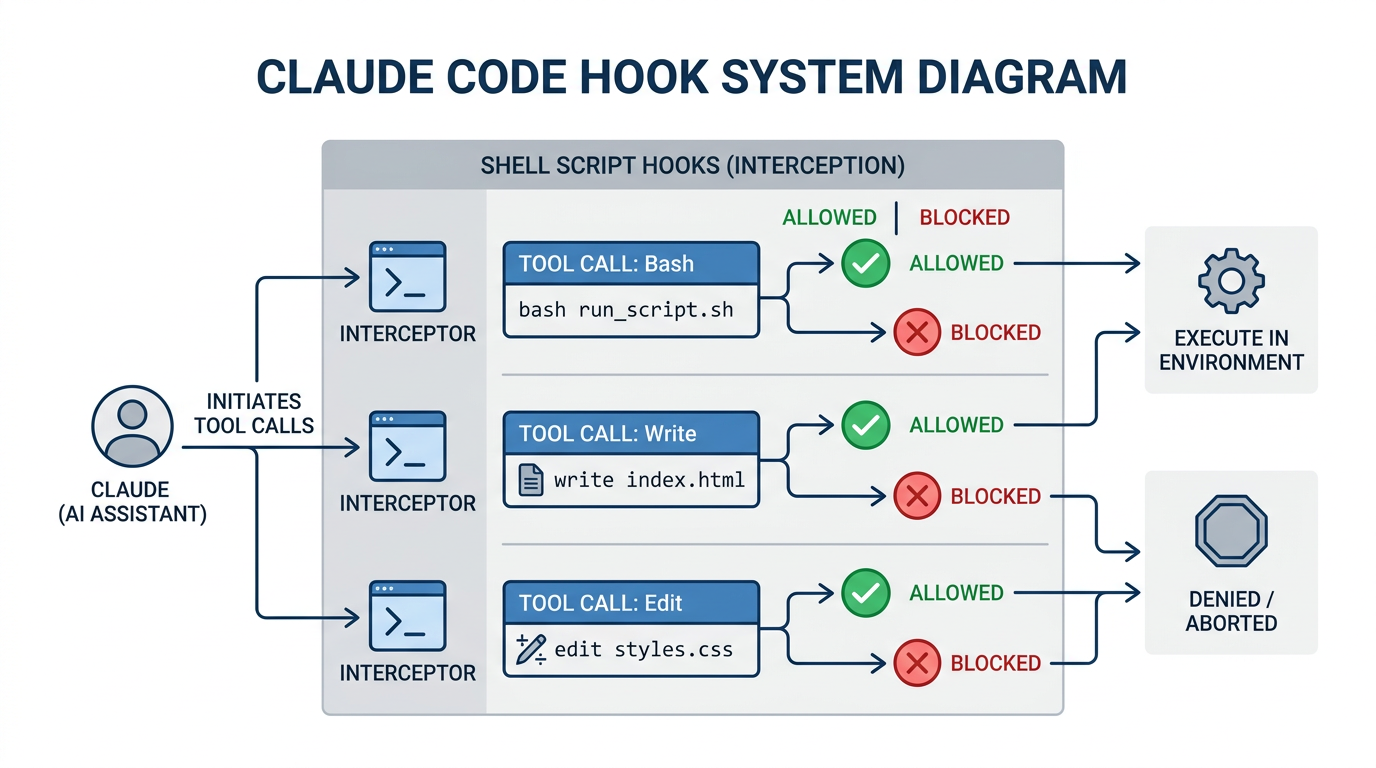
In the setup post I mentioned 11 hooks. The number has since grown. Right now I have 23 shell scripts hanging off various Claude Code events, doing everything from blocking production deployments to auto-formatting TypeScript to sending Telegram messages when Claude needs my attention.
Hooks are probably the most underrated part of the Claude Code configuration system. Commands get all the attention because you type them. Hooks are invisible until you need them.
What a hook is
A hook is a shell script that runs in response to a Claude Code event. You register it in settings.json under a hooks key. When the event fires, Claude Code runs your script and decides what to do based on the exit code.
The configuration looks like this:
| |
The matcher filters which tool calls trigger the hook. "Bash" matches any Bash tool call. "Write" matches file writes. "mcp__" matches anything MCP-related. An empty string matches everything.
Exit codes control behavior:
0: allow the tool call to proceed2: block it, with the hook’s stderr shown to Claude as the reason
For PostToolUse hooks there’s no blocking, but you can inject text into Claude’s context by writing to stdout.
The scripts receive the full tool input as JSON on stdin. So you can inspect the actual command, file path, or file contents before deciding whether to allow it.
PreToolUse: the guards
This is where most of the safety work happens. I have hooks on Bash, Write, and Edit events.
Blocking dangerous commands
block-prod.sh watches for production deployment patterns:
| |
This won’t block everything. It’s not trying to. It’s a sanity check for the case where I say “deploy the auth service” and forget to specify the environment. Claude should ask, not assume.
docker-guard.sh protects specific infrastructure containers from accidental stops. The names are specific enough that the regex stays simple:
| |
Ephemeral runner containers get stopped all the time. The infrastructure containers don’t. The runner- exception lets normal operation through.
branch-guard.sh blocks force pushes:
| |
Simple and non-negotiable.
Protecting files and secrets
protect-configs.sh blocks writes to /etc/, .ssh/, and .env files:
| |
For some files it just warns and continues. .mcp.json modifications print a warning but don’t block. That’s intentional. The warning gets injected into Claude’s context, so it proceeds with awareness.
secret-scanner.sh checks file content before writing. It scans for patterns that look like real API keys:
| |
It skips known-safe files like .mcp.json and settings.json, which legitimately contain keys or references to them.
strategy-validator.sh runs before Skill tool calls. If someone passes --strategy with an invalid name, it blocks with the list of valid options. This one matters because I have a lot of skills with strategy defaults baked in, and a typo would silently fall through to the wrong behavior.
PostToolUse: after the fact
These run after the tool call completes. No blocking possible here, but you can log, format, and inject context.
audit-log.sh appends every Bash command with a timestamp to a log file. Simple:
| |
A few weeks of that log is surprisingly useful when you’re trying to remember what you actually ran on Tuesday.
auto-format.sh runs prettier on any TypeScript file after an edit. This one has saved me from committing unformatted code more than once. It runs silently and only affects .ts and .tsx files.
mcp-audit.sh logs MCP tool calls separately. I want to know which external services Claude is calling, especially in sessions where I’m working on automation tasks.
Session hooks: context injection
The session lifecycle hooks are where things get interesting. They let you inject information into Claude’s context at specific moments.
SessionStart
session-context.sh runs at the start of every session and injects a brief system status:
| |
Git branch, disk space, memory, running containers, active workers. Everything Claude might need to give me accurate answers without me having to provide it. I don’t have to say “I’m on the feature branch with 3 modified files.” It already knows.
UserPromptSubmit
This runs before every message I send. I have two hooks here.
prompt-enhance.sh watches for git-related prompts and injects the current branch state. If I type “commit this,” it already knows what branch I’m on and how many files are staged.
telos-context.sh watches for career or goal-related keywords and injects a reminder to consult the goals file. This one is more personal. If I mention something like “should I focus on this certification,” the hook fires and tells Claude to read the relevant memory file before answering. It’s a way to make sure advice stays consistent with longer-term direction, not just the immediate question.
Notification: Telegram when it matters
The Notification event fires when Claude needs human input. The default behavior is a bell in the terminal. I have it do a bit more:
| |
The Vault lookup for the bot token is a bit heavy, but it means credentials don’t live in the hook file itself. The case statement skips Telegram for routine subtask completions because otherwise it fires every few minutes during long agent sessions.
I’ll get a Telegram ping when Claude hits a permission prompt, needs a decision, or has finished a task that actually requires my input. Routine completions stay silent.
What I’ve blocked in practice
Most of the blocks in the first month were edge cases I hadn’t thought about. The secret scanner fired twice in the first week when I was working on integration examples that had placeholder-looking strings. block-prod.sh caught one real near-miss when I asked Claude to help with a Helm upgrade and didn’t specify an environment.
The file protection hooks are mostly preventive. They’ve never blocked something I wanted. That’s the goal: low false positive rate, occasional actual save.
The notification hooks are genuinely useful. Working in a terminal, it’s easy to miss when a long-running agent session needs attention. The Telegram ping means I can walk away and come back when it’s relevant.
The structure of a hook
If you’re writing one, the basic skeleton is:
| |
The input JSON structure varies by hook type. For Bash hooks, .tool_input.command is the command string. For Write/Edit hooks, you get .tool_input.file_path and .tool_input.content or .tool_input.new_string. The full structure is in the Claude Code docs.
One thing worth knowing: hooks run in the order listed in settings.json. If you have three PreToolUse hooks on Bash, all three run. The first exit 2 wins.
Worth the setup?
Yes, but the return is uneven. The safety hooks pay off occasionally and feel like insurance. The context injection hooks pay off every session, because starting with accurate system state is just better than asking for it.
The notification hooks pay off in proportion to how often you run long sessions. If you only use Claude Code for quick edits, you don’t need Telegram. If you run multi-agent tasks that take 10 minutes to complete, the ping is useful.
Start with protect-configs.sh and secret-scanner.sh. They’re cheap to set up and the downside of not having them is a credential in git history. Then add context injection if you find yourself providing the same context every session. The rest is optimization.
Related: My Claude Code setup | Custom commands | DevOps commands